কেন আধুনিক প্রোডাক্টিভিটি টুল দরকার? | Why Modern Productivity Tools Matter?
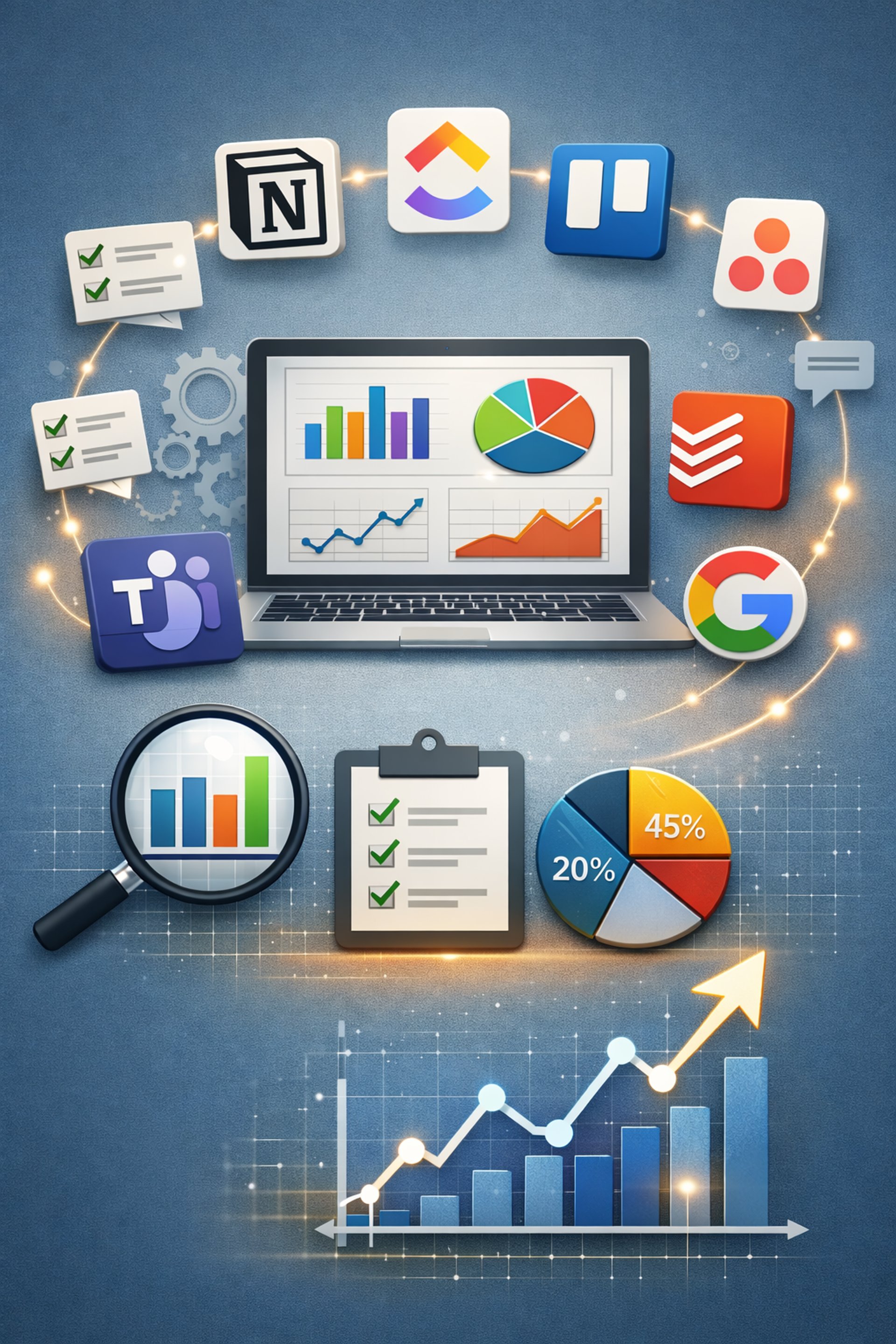
Modern productivity tools like Notion, ClickUp, Trello, Asana, Todoist, Microsoft Teams, Google Workspace, and Lark Suite can dramatically improve how you organize work, collaborate, and track progress—especially when you combine them with basic data analytics to see what’s actually working.
DIGITAL MEDIA AND MARKETING
S. M. Shahriman Alam Shaan | Axeovision
3/2/20265 min read
www.Axeovision.com
আধুনিক প্রোডাক্টিভিটি টুল যেমন Notion, ClickUp, Trello, Asana, Todoist, Microsoft Teams, Google Workspace আর Lark Suite ব্যবহার করলে কাজ গুছিয়ে নেওয়া, টিমের সঙ্গে কাজ করা আর প্রগ্রেস ট্র্যাক করা অনেক সহজ হয়ে যায়। বিশেষ করে যদি আপনি একটু ডাটা দেখে বুঝতে চান, কোন টুল ব্যবহার করলে আসলে কতটা কাজ হচ্ছে – তখন এসব টুল অনেক বেশি কাজে লাগে।
কেন আধুনিক প্রোডাক্টিভিটি টুল দরকার?
আজকের দিনে আমাদের বেশিরভাগ কাজই একসাথে অনেকগুলো টাস্ক, একাধিক প্রজেক্ট আর নানা ধরনের মিটিং ও মেসেজের মধ্যে ঘুরপাক খায়। প্রোডাক্টিভিটি টুলগুলো কাজ, নোট আর ফাইল এক জায়গায় রাখে, ফলে এক জায়গা থেকে আরেক জায়গায় ঘুরে সময় নষ্ট কম হয়। বিভিন্ন রিসার্চ দেখায়, যেসব টিম পরিকল্পিত সিস্টেম আর ডিজিটাল কলাবোরেশন টুল ব্যবহার করে, তাদের প্রোডাক্টিভিটি ও সন্তুষ্টি – দুটোই বাড়ে ।
রিমোট আর হাইব্রিড কাজ বাড়ার কারণে এখন অনেক টিমই একই অফিসে থাকে না। তাই এই ডিজিটাল ওয়ার্কস্পেসগুলোই এখন আসলে নতুন অফিসের মতো কাজ করছে। যেসব প্রতিষ্ঠান টাস্ক ম্যানেজমেন্ট আর কলাবোরেশন টুল ব্যবহার করছে, তারা সাধারণত দ্রুত সিদ্ধান্ত নিতে পারছে, মিটিং কমাতে পারছে, আর ইমেইলে কম হারিয়ে যাচ্ছে ।
ডাটা দিয়ে দেখা: টুল ব্যবহার করলে আসলে কী বদলায়
বিভিন্ন সাম্প্রতিক রিপোর্ট থেকে কিছু গুরুত্বপূর্ণ দিক পরিষ্কারভাবে বোঝা যায়:
- যেসব প্রতিষ্ঠান স্ট্রাকচার্ড রিমোট কলাবোরেশন সফটওয়্যার ব্যবহার করে, তাদের প্রোডাক্টিভিটি প্রায় ৩০% পর্যন্ত বাড়তে পারে, কারণ রিয়েল-টাইম কমিউনিকেশন দেরি আর অপ্রয়োজনীয় মিটিং কমিয়ে দেয় । - হাইব্রিড আর ফ্লেক্সিবল কাজের ব্যবস্থা, যখন ভালো ডিজিটাল টুল দিয়ে সাপোর্ট করা হয়, তখন গড়ে প্রায় ১৯% পর্যন্ত পারফরম্যান্স বেড়ে যায় এবং কর্মীদের বেশিরভাগই নিজেদের বেশি প্রোডাক্টিভ মনে করে ।
- যারা প্রজেক্ট ট্র্যাকিং, অটোমেশন আর নলেজ ম্যানেজমেন্টের জন্য ডিজিটাল আর AI টুল বেশি ব্যবহার করে, তাদের মধ্যে প্রায় তিন-চতুর্থাংশ প্রতিষ্ঠান উচ্চ প্রোডাক্টিভিটি রিপোর্ট করেছে, পাশাপাশি জব স্যাটিসফ্যাকশনও ভালো । - যেসব কর্মী AI সহায়তাযুক্ত ডিজিটাল সিস্টেম ব্যবহার করে, তারা একই সময়ে বেশি লেখা, ডকুমেন্ট বা টেকনিক্যাল আউটপুট তৈরি করতে পারছে ।
ব্যক্তিগতভাবে বা ছোট টিম হিসেবে আপনার জন্য এর মানে হলো: কাজ শেষ করতে সময় কম লাগবে, কোথায় আটকে যাচ্ছেন সেটা পরিষ্কার বোঝা যাবে, আর সবাই কী নিয়ে কাজ করছে তা স্পষ্ট থাকবে। যদি আপনি টুলের ভেতরেই কমপ্লিশন রেট, সাইকেল টাইম আর প্রতি প্রজেক্টে সময় কেমন যাচ্ছে তা ট্র্যাক করেন, তাহলে খুব দ্রুত বুঝতে পারবেন আপনার ওয়ার্কফ্লো কোথায় ধীর, আর সেটা কীভাবে ঠিক করবেন।
জনপ্রিয় টুলগুলো কীভাবে সাহায্য করে
আপনি যে টুলগুলোর কথা বলেছেন, সেগুলো সাধারণত এইভাবে কাজকে সহজ করে:
- Notion – নোট, ডকুমেন্ট, ডাটাবেস আর প্রজেক্ট বোর্ড একসাথে রাখা যায়। এতে আলাদা আলাদা অনেক অ্যাপের দরকার কমে, আর টিমের জন্য একটাই “সোর্স অফ ট্রুথ” তৈরি হয়। এর ডাটাবেস দিয়ে টাস্ককে স্ট্যাটাস, ওনার, ডেডলাইন ইত্যাদি অনুযায়ী ফিল্টার করে সহজ অ্যানালিটিক্স দেখা যায়।
- ClickUp – টাস্ক, ডক, গোল, ড্যাশবোর্ড – সব এক প্ল্যাটফর্মে। অনেক টিম এর রিপোর্টিং আর টাইম-ট্র্যাকিং ফিচার দিয়ে টাস্ক কমপ্লিশন রেট, কাজের চাপ কেমন ভাগ হয়েছে, আর প্রজেক্ট কত দ্রুত এগোচ্ছে – এসব মাপতে পারে।
- Trello – বোর্ড, লিস্ট আর কার্ড দিয়ে তৈরি ভিজ্যুয়াল ওয়ার্কফ্লো। শুরুর ব্যবহারকারীদের জন্য খুবই সহজ। এক স্টেজ থেকে আরেক স্টেজে কার্ড সরালেই আপনি আসলে লাইভ পাইপলাইন তৈরি করছেন, যেটা থেকে সাইকেল টাইম আর থ্রুপুট বোঝা যায়। - Asana – প্রজেক্ট আর ওয়ার্ক ম্যানেজমেন্টের জন্য জনপ্রিয়। টাইমলাইন, ডিপেন্ডেন্সি, রিপোর্টিং – সব আছে। কতগুলো টাস্ক সময়মতো শেষ হচ্ছে, কোন প্রজেক্ট কতদিন ধরে চলছে, কোথায় বটলনেক – এসব বুঝে প্রজেক্ট সাকসেস রেট বাড়ানো যায়।
- Todoist – খুব পরিষ্কার, সিম্পল টাস্ক ম্যানেজার। লেবেল, ফিল্টার আর ছোটখাটো প্রোডাক্টিভিটি স্ট্যাটসহ ব্যক্তিগত টাস্ক ম্যানেজমেন্টের জন্য দুর্দান্ত। এতে আপনি নিজের কাজের অভ্যাস ধীরে ধীরে গড়ে তুলতে পারবেন।
- Microsoft Teams – চ্যাট, মিটিং, ফাইল শেয়ার – সব একসাথে, বিশেষ করে যাদের Microsoft 365 আছে। ইমেইল কমিয়ে দ্রুত সিদ্ধান্ত আর কমুমিনকেশন সম্ভব হয়।
- Google Workspace
– Gmail, Docs, Sheets, Slides, Drive – সবকিছু একসাথে কাজ করে। শেয়ার্ড ডকুমেন্ট আর রিয়েল-টাইম এডিটিংয়ের কারণে ডকুমেন্ট আর প্রেজেন্টেশন তৈরি ও রিভিউ করতে কম সময় লাগে।
- Lark Suite– চ্যাট, ডক, ক্যালেন্ডার, হালকা প্রজেক্ট টুল – সব এক প্ল্যাটফর্মে। এক জায়গায় সব থাকায় অ্যাপ বদলাতে কম সময় যায়, আর কাজের ডাটা একসাথে থাকা কারণে অ্যানালিটিক্স করাও সহজ।
এগুলোর মধ্যে সাধারণ মিল হলো এক জায়গায় সব দেখা আর স্পষ্ট ভিজিবিলিটি। কাজ, ফাইল আর কথা-বার্তা যদি এক প্ল্যাটফর্মে থাকে, তাহলে কে কী করছে, কোথায় কাজ আটকে আছে, আর কীভাবে প্রক্রিয়া উন্নত করা যায় – এই সব কিছুই স্পষ্ট দেখা যায়।
নিজের কাজে ডাটা অ্যানালিটিক্স ব্যবহার করবেন কীভাবে
এসব টুলকে শুধু “টু-ডু লিস্ট” হিসেবে ব্যবহার না করে যদি আপনি ডাটা সোর্স হিসেবে ভাবেন, তাহলে আসল শক্তিটা বেরিয়ে আসে। অনেক টুলের ভেতরেই বিল্ট-ইন রিপোর্ট থাকে, আর প্রয়োজন হলে আলাদা ড্যাশবোর্ডেও কানেক্ট করা যায়। উদাহরণ হিসেবে:
- টাস্ক কমপ্লিশন রেট ট্র্যাক করুন: প্রতিদিন বা প্রতি সপ্তাহে কতগুলো প্ল্যান করা টাস্ক আসলেই শেষ করতে পেরেছেন, এটা দেখুন। এতে আপনি বুঝতে পারবেন, অতিরিক্ত বেশি প্ল্যান করছেন কি না।
- সাইকেল টাইম মাপুন: Trello বা Asana বোর্ডে একটা টাস্ক “To Do” থেকে “Done” হতে কত সময় নিচ্ছে, সেটা দেখুন। সময় কম মানে প্রক্রিয়া আরও কার্যকর হয়ে উঠছে।
- সময় কোথায় যাচ্ছে বিশ্লেষণ করুন: মিটিং, ডিপ ওয়ার্ক, ছোটখাটো অ্যাডমিন কাজ – কোন জিনিসে কত সময় যাচ্ছে, সেটা টুলের ভিতর টাইম ট্র্যাকিং বা আনুমানিক টাইম দিয়ে বুঝতে পারবেন। এরপর প্রয়োজন অনুযায়ী সময় ভাগ করে নিতে পারবেন।
- প্রজেক্ট হেলথ মনিটর করুন: ClickUp, Asana বা Notion ডাটাবেসের রিপোর্টে কতগুলো টাস্ক ওভারডিউ, কোন ডিপেন্ডেন্সিতে ঝুঁকি আছে, ইত্যাদি দেখতে পারবেন। এতে প্রজেক্ট শেষ হওয়ার আগেই সমস্যা ধরা পড়বে।
বিভিন্ন ওয়ার্কপ্লেস স্টাডি বলে, যারা রিপোর্টিং আর অ্যানালিটিক্সসহ টুল ব্যবহার করে, তারা কাজকে সরল করা, অপ্রয়োজনীয় মিটিং কমানো আর হাই-ইমপ্যাক্ট কাজের দিকে ফোকাস করতে অনেক বেশি সফল, যার সঙ্গে উচ্চ প্রোডাক্টিভিটি আর ভালো রেজাল্টের সরাসরি সম্পর্ক আছে ।
নতুনদের জন্য ফ্রি, সহজ আর ইউজার-ফ্রেন্ডলি টুল
একদম শুরুতে আপনাকে একসাথে সব টুল ব্যবহার করতে হবে না। ছোট করে শুরু করাই ভালো। নতুনদের জন্য কিছু সহজ আর ফ্রি (বা ফ্রি টিয়ারসহ) টুল:
Trello – ড্র্যাগ-এন্ড-ড্রপ বোর্ড, খুব ভিজ্যুয়াল আর বোধগম্য। ব্যক্তিগত প্রজেক্ট, ছোট টিম বা সিম্পল ওয়ার্কফ্লোর জন্য দুর্দান্ত। - Todoist – খুব ক্লিন ইন্টারফেস, ন্যাচারাল ল্যাঙ্গুয়েজে টাস্ক লেখা যায় (যেমন: “আগামীকাল বিকাল ৩টায় ব্লগ লিখব”), রিপিটিং টাস্ক আর সিম্পল স্ট্যাট দেয়। ব্যক্তিগত টাস্কের জন্য চমৎকার।
Notion (ফ্রি প্ল্যান)– নোট, টাস্ক আর ছোট প্রজেক্ট রাখার জন্য খুবই ফ্লেক্সিবল। রেডি-মেড টেমপ্লেট ব্যবহার করে সহজভাবে শুরু করা যায়, পরে ধীরে ধীরে নিজের মতো কাস্টমাইজ করা সম্ভব।
Google Workspace (ফ্রি Google অ্যাকাউন্ট)– ফ্রি অ্যাকাউন্টেই Docs, Sheets, Keep আর Calendar দিয়ে হালকা কিন্তু শক্তিশালী প্রোডাক্টিভিটি সিস্টেম বানানো যায়।
Microsoft Teams (কিছু ফ্রি অপশনসহ) – ছোট টিমের চ্যাট ও মিটিংয়ের জন্য ভালো, বিশেষ করে যদি আপনারা আগেই Microsoft ইকোসিস্টেম ব্যবহার করেন।
যখন এগুলোর সাথে আপনি স্বচ্ছন্দ হয়ে যাবেন, তখন ধীরে ধীরে ClickUp, Asana বা Lark Suite-এর মতো আরও পাওয়ারফুল প্ল্যাটফর্ম যোগ করতে পারবেন। গুরুত্বপূর্ণ বিষয় হলো – সিম্পলভাবে শুরু করুন, কয়েকটা গুরুত্বপূর্ণ মেট্রিক (যেমন টাস্ক কমপ্লিশন রেট, সাইকেল টাইম) ট্র্যাক করুন, আর ডাটা দেখে বুঝে নিন, কোন কাজের ধরন আপনার জন্য সবচেয়ে ভালো কাজ করছে।
উপরের ডাটা আর ট্রেন্ডগুলো ২০২৫–২০২৬ সময়কার নানা প্রোডাক্টিভিটি, কলাবোরেশন আর টুলস-সম্পর্কিত রিপোর্ট ও আর্টিকেলের তথ্য ভিত্তিতে সংক্ষিপ্তভাবে তুলে ধরা হয়েছে ।
---------------------------------------------------------------
[English]
Modern productivity tools like Notion, ClickUp, Trello, Asana, Todoist, Microsoft Teams, Google Workspace, and Lark Suite can dramatically improve how you organize work, collaborate, and track progress—especially when you combine them with basic data analytics to see what’s actually working.
Why Modern Productivity Tools Matter
Today’s knowledge workers juggle dozens of tasks, multiple projects, and constant communication. Tools that centralize tasks, documents, and conversations reduce context switching, which is one of the biggest causes of lost productivity. Research on workplace productivity consistently shows that structured systems and digital collaboration platforms are linked to measurable gains in output, focus, and employee satisfaction.
Remote and hybrid work trends also mean teams are less often in the same room, so digital workspaces have effectively become the new office. Companies using integrated digital collaboration and task management tools report higher productivity, faster decision-making, and reduced time wasted on status meetings and email.
Data: How Tools Boost Productivity
Several recent workplace reports highlight just how powerful modern tools can be when used well:
- Organizations that adopt structured remote collaboration software report productivity increases of up to about 30%, largely because real-time communication reduces delays and unnecessary meetings.
- Hybrid and flexible work arrangements supported by digital collaboration tools are associated with around 19% performance gains and higher self-reported productivity for most employees.
- Companies that heavily use digital and AI-powered tools (for project tracking, automation, and knowledge management) report high productivity levels in roughly three-quarters of cases, along with better job satisfaction.
- Workers using digital systems with AI assistance complete tasks faster and can produce more written and technical output in the same amount of time.
For you as an individual or as a small team, this translates into very practical benefits: shorter task completion time, better visibility into what’s blocking progress, and clearer alignment around priorities. When you track completion rates, cycle times, and time spent per project inside these tools, you can quickly see where your workflow is inefficient and adjust.
How Popular Tools Fit Different Workflows
Here’s how some of the most widely used tools you mentioned typically help users work more efficiently and successfully:
- Notion – Combines notes, docs, databases, and project boards in one workspace, which reduces fragmentation across multiple apps and helps teams maintain a single source of truth for projects and documentation. Its flexible databases make it easy to analyze tasks by status, owner, or due date, giving you simple analytics on what’s getting done.
- ClickUp – Designed as an all-in-one project platform, with tasks, docs, goals, and dashboards. Many teams use its built-in reporting and time tracking to measure task completion rates, workload distribution, and project timelines, enabling data-driven improvements in process.
- Trello – Uses Kanban boards (lists and cards) to make workflows highly visual and easy to understand for beginners. Moving cards through stages effectively gives you a live “pipeline” of your work that can be measured in terms of cycle time and throughput.
- Asana – Focuses on project and work management with timelines, dependencies, and reporting. Teams can track how many tasks are completed on time, how long projects take, and where bottlenecks appear, which helps leaders refine processes and increase success rates.
- Todoist – A clean, personal task manager with labels, filters, and simple productivity stats, which helps individuals build consistent habits and track daily and weekly completion patterns.
- Microsoft Teams – Centralizes chat, meetings, and file sharing, particularly for organizations using Microsoft 365. Reducing reliance on scattered email threads and disconnected chats can lower coordination costs and speed up decisions.
- Google Workspace – Integrates email, docs, sheets, slides, and shared drives. When combined with shared calendars and collaborative documents, teams can co-create and track changes in real time, which decreases turnaround time on documents and approvals.
- Lark Suite – Provides an integrated platform with docs, chat, calendar, and lightweight project tools. Having everything in a unified interface can reduce app switching and simplify analytics around communication and activity.
Across these platforms, the common theme is centralizationand visibility: when tasks, files, and communication live in one environment, it becomes much easier to track performance, identify blockers, and refine your workflow over time.
Using Data Analytics in Your Workflow
To truly benefit from these tools, it helps to treat them not just as “to-do lists” but as data sources. Many of them either have built-in analytics or can be connected to dashboards for reporting. Here are a few practical ways to apply analytics to your own productivity system:
- Track task completion rate: Measure how many planned tasks you actually complete each day or week. This helps you calibrate your planning and reduce overcommitment.
- Measure cycle time: Look at how long tasks spend in each stage of your workflow (for example, “To Do” → “In Progress” → “Done” on a Trello or Asana board). Shorter cycle times generally mean a more efficient process.
- Analyze time allocation: Use time tracking or estimates to see where your hours are going (meetings, deep work, admin, communication). Adjust your schedule based on what actually moves the needle.
- Monitor project health: Use status reports and dashboards (like in ClickUp, Asana, or Notion databases) to view overdue tasks, risks, and dependencies. This improves the success rate of projects by catching issues early.
Workplace studies show that organizations using tools with robust reporting and analytics are better at simplifying work, reducing unnecessary meetings, and focusing on high-impact tasks, all of which correlate with higher productivity and better outcomes.
Beginner-Friendly, Free, and Easy Tools
If you’re just starting to build a productivity system, you don’t have to adopt everything at once. Here are a few beginner-friendly options that are free or offer generous free tiers, with simple interfaces:
- Trello – Intuitive drag-and-drop boards, ideal for visual thinkers and beginners. Great for personal projects, small teams, and simple pipelines. - -
- Todoist– Clean interface with natural-language input (e.g., “Write blog post tomorrow at 3pm”), recurring tasks, and simple progress stats. Excellent for personal task management.
- Notion (free plan) – Flexible pages and templates for notes, tasks, and simple project databases. Beginners can start from templates and gradually build more advanced setups.
- Google Workspace (personal Google account) – Even the free Google account gives access to Docs, Sheets, Keep, and Calendar, which you can combine into a lightweight productivity stack.
- Microsoft Teams (free tiers in some regions) – Useful if you’re already in the Microsoft ecosystem and want basic chat and meeting features for small teams.
As you grow more comfortable, you can layer in more powerful platforms like ClickUp, Asana, or Lark Suite to support complex projects, teams, and advanced reporting. The key is to start simple, track a few meaningful metrics, and evolve your system based on what the data tells you about how you work best.
Note: The statistics and trends cited above are synthesized from multiple recent workplace productivity, collaboration, and tools reports and articles that discuss productivity gains, hybrid work performance, collaboration software impact, and the growing role of AI and integrated digital workspaces in 2025–2026.
Article Edited and Re-published by:
Citations:
[1] Workplace Productivity Statistics 2026: Why Systems Matter ... - Chanty https://www.chanty.com/blog/workplace-productivity-statistics/ [2] 6. Microsoft To Do -- Good... https://www.pocketinformant.com/best-productivity-apps-for-2026-and-why-pocket-informant-leads-the-list/ [3] The best AI productivity tools in 2026 - Zapier https://zapier.com/blog/best-ai-productivity-tools/ [4] 15 Workplace Productivity Statistics Leaders Should Know [2026] https://www.activtrak.com/solutions/productivity-management/workplace-productivity-statistics/ [5] I've Tried 50+ Productivity Tools — Here are My Top 9 - Buffer https://buffer.com/resources/productivity-tools/ [6] The 2026 Workplace Statistics and Benchmarks Report - Ronspot https://ronspotflexwork.com/blog/the-2026-workplace-statistics-and-benchmarks-report/ [7] 30+ Must-Know Employee Productivity Statistics in 2026 - Archie https://archieapp.co/blog/employee-productivity-statistics/ [8] 90+ Workplace Collaboration Statistics That Matter in 2026 https://www.hireborderless.com/post/workplace-collaboration-statistics [9] Trends In Productivity Tools https://thedigitalprojectmanager.com/tools/best-productivity-tools/ [10] The Best Productivity Apps for 2025: Work Smarter, Not Harder https://www.pcmag.com/picks/best-productivity-apps
Reach out for query
Phone
Website built and maintained by:
My official Socials
Join my discord community
© 2026. All rights reserved.
Collaborate with me on
Lark Team collaboratOr